Resource Planner Blog
New in Resource Planner: Email Notifications Without the Noise
A resource plan can change several times before it is truly ready. Someone gets assigned, the dates are corrected, a task is updated, and the assignment may be moved again a few minutes later.
Resource Planner now offers email notifications that keep you informed without turning every planning edit into another message in your inbox.
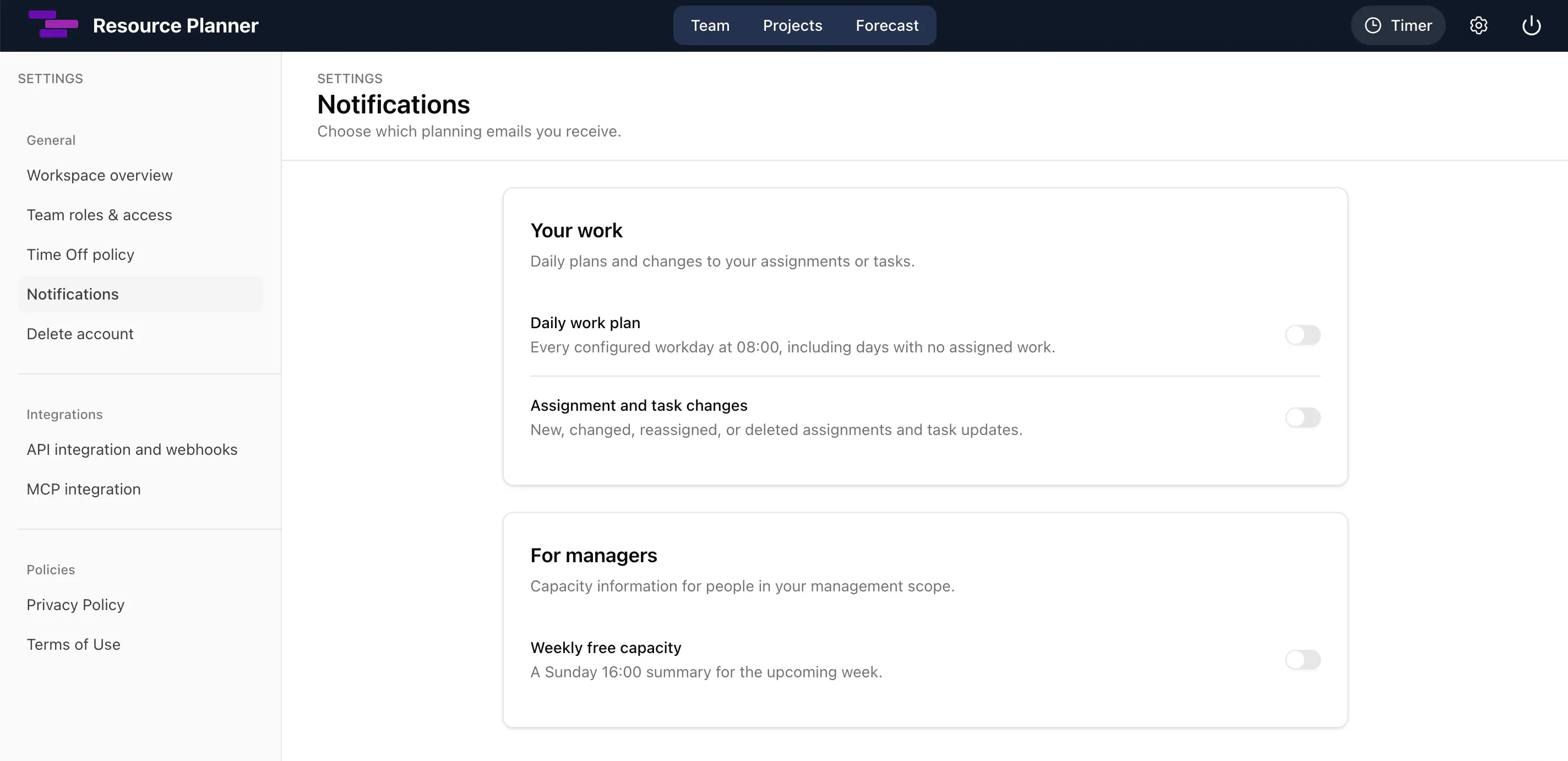
Choose the notifications that matter to you
Notification preferences are set separately for each workspace. The optional categories are off by default, so you decide which planning updates you want to receive.
You can receive:
- Your daily work plan. On each of your configured workdays, Resource Planner sends your plan at 08:00 in the workspace’s local time. It includes your assignments and time off for the day. You also receive the message when no work is assigned, so an empty day is clear rather than ambiguous.
- Assignment and task changes. Receive an update when you are assigned new work, an assignment changes, you are reassigned or removed, an assignment is deleted, or its task is updated. The email shows the final relevant planning details without copying private task descriptions, comments, or assignment notes into your inbox.
- Free capacity for the upcoming week. Managers and admins can receive a Sunday 16:00 summary for the coming Monday through Sunday. It includes only people in their visible management scope and is sent only when there is free capacity to report.
- Upcoming project deadlines. Managers and admins can receive a separate Sunday 16:00 email listing project milestones due in less than 14 days. A milestone appears first when it is 7–13 days away and again when it is 0–6 days away, so it can generate exactly two reminders. Every recipient sees the same workspace-wide list, and no email is sent when there are no upcoming deadlines.
- A timer that is still running. If one of your timers runs for more than 24 hours, Resource Planner sends one reminder for that timer. This safety reminder is always enabled and does not have a preference switch. You can learn more about timers in our guide to time tracking in resource planning.
When several eligible updates are ready at the same time, Resource Planner normally combines them into one email for that workspace. Upcoming deadline reminders always remain separate, including when they are sent alongside the weekly free-capacity summary.
Why assignment updates arrive after one to two hours
Assignment and task notifications are intentionally not immediate. After a change, Resource Planner waits until the assignment has remained unchanged for at least 60 minutes. Notifications are processed hourly, so an email will normally arrive between one and two hours after the final edit.
Every new change restarts the 60-minute settling period. This lets Resource Planner compare where the assignment started with where it ended and send only the result that still matters.
For example:
- If you are assigned and then removed again during the settling period, no notification is sent.
- If several dates, hours, or task details change, you receive one update with the final assignment details.
- If an edit is undone before the assignment settles, the temporary change does not produce an email.
Daily plans, weekly capacity summaries, upcoming deadline reminders, and long-running timer reminders follow their own schedules. The settling period applies only to assignment and task changes.
You will not be notified about your own direct changes
When you make a change yourself in the Resource Planner web app, you will not receive an email telling you about that same action. You already know what you changed.
Changes made by somebody else, through the API or MCP integration, or by another automated process can still generate a notification when the relevant preference is enabled. This keeps the emails useful for updates you may not have seen.
Turn notifications on
Your account must first be linked to the team member who represents you in the workspace. Then open Settings → Notifications and switch on the categories you want for the current workspace. The free-capacity and upcoming-deadline summaries are available only to managers and admins.
All optional notifications start turned off, and you can return to the same page to change your choices at any time.